Webflow's November 2026 Pricing Change: What Your Site Will Actually Cost
Last checked against Webflow's own help pages and pricing page on 30 October 2026. Webflow can change prices, so confirm on webflow.com/pricing before you decide.
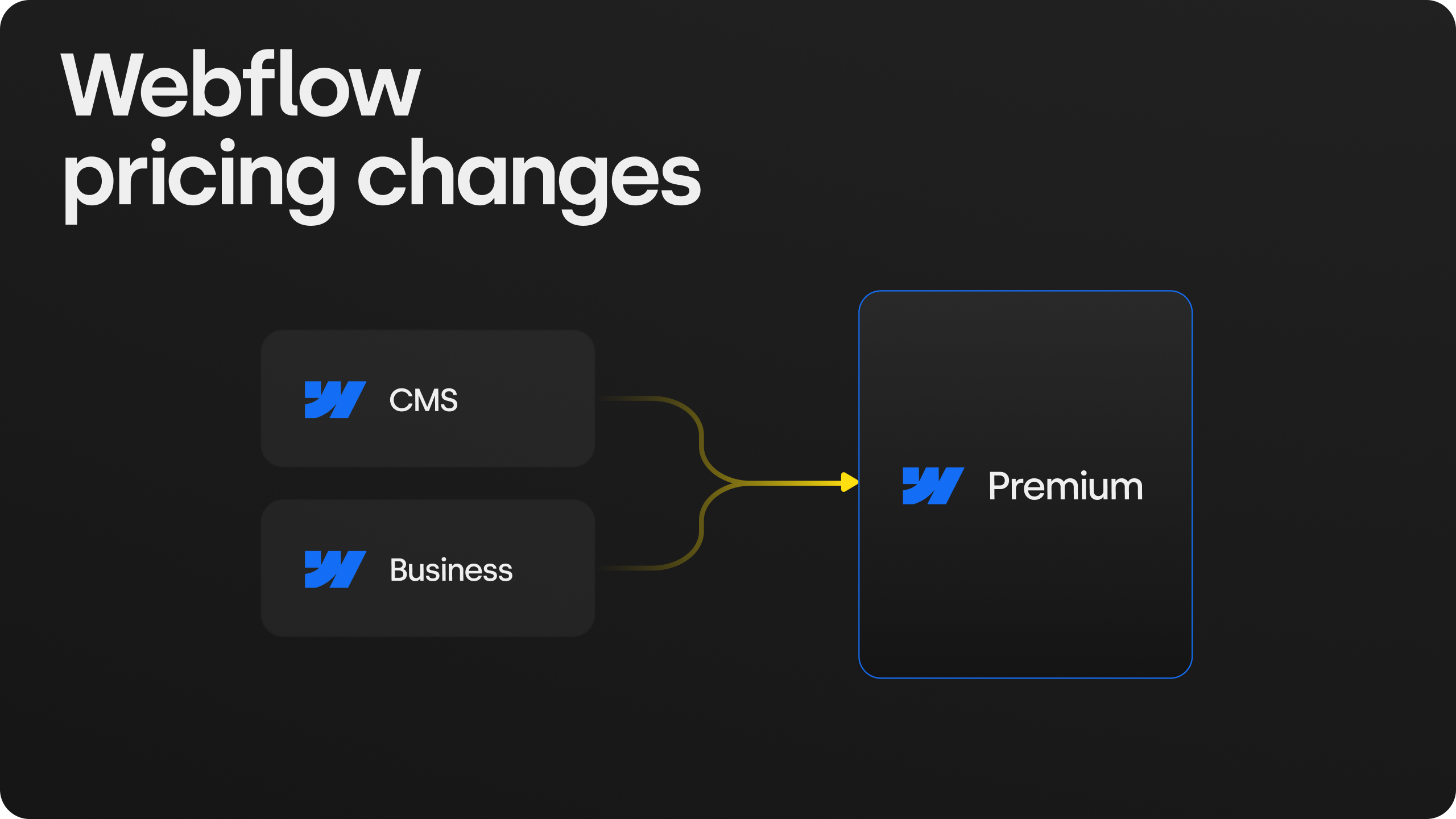
The change in one sentence: Webflow replaced its CMS and Business site plans with a new Premium plan in May 2026, and on 16 November 2026 that change reaches the sites that were held back until now: sites hosted in agency or freelancer accounts, and sites on legacy pricing.
Who this is for: marketing leads and founders who own a Webflow site but did not set it up themselves. No technical background needed.
The short answer
If your Webflow site is hosted in an agency's or freelancer's account, or you still pay a legacy price from 2022 or earlier, your plan changes at your first renewal on or after 16 November 2026. For most marketing sites the change is small: a couple of dollars more a month if you were on the old CMS plan, and less than before if you were on the old Business plan. The bill only goes up if your site uses a lot of bandwidth (the data your site sends to visitors), because the included amount is halved from 100GB to 50GB.
In practice:
- Small to mid-size SaaS site, under 50GB a month: about $300 a year on yearly billing. That is $24 more than the old CMS plan, or $168 less than the old Business plan.
- Site with real traffic, video or heavy images, 100 to 150GB a month: about $540 to $780 a year, an increase.
- Two-language site on the same plan: add roughly $108 a year per extra language (see the localization note below).
You can delay the change by a full year if you switch from monthly to yearly billing before your change date. That one step is the most useful thing to do before 16 November.
Is your site affected?
Your site is affected on 16 November if either of these is true. Webflow already moved every other site on 29 June 2026 (Webflow Help).
- Your site lives in an agency's or freelancer's Webflow account. Webflow calls these "Freelancer" or "Agency" Workspaces. This is common when a studio built the site and still hosts it for you. You may never have logged into Webflow yourself.
- You pay a legacy price from 2022 or earlier. If your site plan was bought before 2023 and never changed, you may be on legacy pricing. Webflow says it emailed every customer who moves in November, so search your inbox (or ask your agency) for that notice.
How to check in five minutes:
- Find your last Webflow invoice. If it comes from your agency rather than from Webflow, the site is almost certainly in their workspace.
- If you have a Webflow login, open the site's settings and look at the plan and billing area. It shows the plan name (Basic, CMS, Business or the new Premium), the billing cycle and the renewal date.
- If you do not have a login, email whoever built the site and ask three things: which plan the site is on, whether billing is monthly or yearly, and when it renews.
The date that matters is your renewal, not 16 November itself. Nothing changes on the day. The new plan applies at your first renewal on or after 16 November, or earlier if someone changes the plan or the billing cycle after that date. Webflow calls that a "billable change".
Which plan you move to
The old CMS and Business plans both become one plan called Premium. Basic keeps its name but costs more. A new, much larger Team plan sits between Premium and Enterprise.
| Your plan today | Becomes | New price (billed yearly) | New price (billed monthly) | What changes for you |
|---|---|---|---|---|
| Basic | Basic | $15/mo | $25/mo | Price goes up. Static pages double from 150 to 300. Includes 10GB bandwidth. For simple sites without a blog or CMS. |
| CMS | Premium | $25/mo | $39/mo | Small price rise. You get 10x more CMS items (2,000 to 20,000) and twice the collections (20 to 40). |
| Business | Premium | $25/mo | $39/mo | Price drops. CMS items go from 10,000 to 20,000, but bandwidth falls from 100GB to 50GB a month. |
| Large team, many editors | Team | $2,500/mo, annual contract only | Not offered | One site, 10 seats, 100 collections, Localize included. For companies that outgrew self-serve. |
Prices from webflow.com/pricing and Webflow Help, USD per site, before tax, checked 30 October 2026.
What the words mean, in plain terms:
- Static pages are pages you build one by one: home, pricing, about, each landing page.
- CMS items are entries in a list that share one template: blog posts, case studies, job openings, team members. 20,000 is far more than almost any marketing site needs.
- Collections are the lists themselves: "Blog", "Case studies", "Jobs". 40 is plenty for most sites.
- Bandwidth is the amount of data your site sends to visitors. It is the one limit most likely to cost you money, so it gets its own section below.
Two smaller changes: the paid add-on for extra CMS items is gone (Premium includes 20,000), and Ecommerce plans are not changing for now.
What three typical sites will pay per year
The price per month on the pricing page is not your bill. Your yearly bill is the plan, plus any bandwidth add-on, plus any extra languages. Here is that sum for three sites we see often, all on yearly billing.
| Example site | Monthly traffic data | Before (per year) | After (per year) | Change |
|---|---|---|---|---|
| 1. Small SaaS site. 20 pages, a blog, one language, on the old CMS plan | 25GB | $276 | $300 | +$24 |
| 1b. Same site, on the old Business plan | 25GB | $468 | $300 | -$168 |
| 2. Two-language SaaS site. English and German, old Business plan | 70GB | $576 | $648 | +$72 |
| 3. Content-heavy site. Lots of articles and images, old Business plan | 150GB | $708 | $780 | +$72 |
How each "after" number is built:
- Site 1: Premium $25 x 12 = $300. Under 50GB, so no add-on.
- Site 2: Premium $300 + one 50GB bandwidth add-on ($20 x 12 = $240) + one extra language on Localize Essential ($9 x 12 = $108) = $648.
- Site 3: Premium $300 + one 100GB bandwidth add-on ($40 x 12 = $480) = $780. This is Webflow's own example in its help article, shown there as $59 a month becoming $65 a month.
The same sites on monthly billing cost a lot more. Premium is $39 a month instead of $25, and bandwidth add-ons are 50% more expensive month to month ($30 instead of $20 for 50GB). An extra language costs $12 a month instead of $9. Site 2 would come to about $972 a year instead of $648. Site 3 would come to about $1,188 instead of $780.
Assumptions to check against your own site: the "before" figures use the old CMS price of $23 a month (Brix) and Business at $39 a month (Webflow Help), both billed yearly, and assume your localization price stays the same. Your agency may also add its own hosting margin or maintenance fee on top of Webflow's price. That is a separate line, and worth asking about.
One automatic change to know about: if your site used more than 50GB in either of its last two billing months, Webflow adds a bandwidth add-on for you at the change (Webflow Help). So a busy site does not break, but the bill rises without anyone choosing it.
Bandwidth: the line that decides your bill
For most sites, bandwidth is the only part of this change that can make the bill go up. Premium includes 50GB a month. Business used to include 100GB.
What bandwidth is. Every time someone opens a page, your site sends them the text, images, fonts and scripts. The total of all that data in a month is your bandwidth. A light page might be 1 to 2MB. A page with large photos or a background video can be 10MB or more.
A rough way to estimate it: monthly visits x pages per visit x average page weight. For example, 8,000 visits x 3 pages x 2MB = about 48GB. That is right at the Premium limit. The same site with heavier pages, at 4MB each, uses about 96GB and needs an add-on.
What extra bandwidth costs (Premium):
| Extra bandwidth | Billed yearly | Billed monthly |
|---|---|---|
| +50GB | $20/mo | $30/mo |
| +100GB | $40/mo | $60/mo |
| +150GB | $60/mo | $90/mo |
| +250GB | $100/mo | $150/mo |
| +450GB | $174/mo | $260/mo |
From webflow.com/pricing, checked 30 October 2026. Larger tiers go up to 2.5TB a month in total.
How to see your real usage. In Webflow, the site's settings show bandwidth used per month. If you have no login, ask your agency for the last three months. Look at the highest month, not the average, because Webflow sizes the automatic add-on from your recent peaks.
What usually eats bandwidth, and how to cut it:
- Large images. The biggest cause by far. Converting images to modern formats (AVIF or WebP) and sizing them for the screen often cuts image weight by half or more. We did exactly this for Krea Design Iskola, a design school, converting its Webflow site's images to AVIF to bring bandwidth down.
- Video uploaded to Webflow. Background videos and uploaded clips are heavy. Hosting video on YouTube, Vimeo or a video service moves that data off your Webflow bill.
- Downloads. PDFs, brochures and slide decks served from Webflow count too. A popular 20MB PDF downloaded 1,000 times is 20GB.
- Bots. Crawlers and scrapers load pages like visitors. A sudden jump in bandwidth with no jump in real visitors is often bots. Your analytics will show whether human traffic actually grew.
Cutting page weight also makes the site faster, which helps search rankings and conversions. So this work usually pays twice.
What to do before 16 November 2026
These are in order of value. The first one alone can save a year of higher prices.
- Switch from monthly to yearly billing, if you are on monthly. Webflow lets you keep your current plan for one more year if you switch before your change date (Webflow Help). Yearly is also much cheaper on the new plans: Premium is $25 a month instead of $39.
- Find out your plan, billing cycle and renewal date. Ask your agency if you do not have access. Without these three facts you cannot estimate anything.
- Check your bandwidth for the last three months. Under 50GB every month: you are fine on Premium. Over 50GB: plan for an add-on, or reduce page weight first.
- Decide who should own the site. If the site sits in your agency's workspace, you can ask for it to be moved to a Webflow account in your company's name. You then pay Webflow directly and see your own usage. Your agency can still work on it as a collaborator.
- Remove what you do not use. Unused languages on Localize, old landing pages and large forgotten files all cost money or bandwidth.
- Do not make plan changes after 16 November without checking. Upgrading, downgrading or switching billing cycle counts as a "billable change" and moves you to the new pricing straight away.
If you are already on yearly billing and well under 50GB, you can mostly relax. Your next renewal will look much like your last one.
Should you leave Webflow over this?
For almost every marketing site, no. The numbers do not support it.
In the examples above, the change is between $168 cheaper and $72 more expensive per year. Moving a site to another platform means rebuilding it: design, pages, CMS content, redirects so you keep your Google rankings, forms and integrations. For a typical SaaS marketing site that is a project of several thousand euros and a few weeks of your team's time. At $72 a year, it would take decades for the move to pay for itself.
When it is worth a closer look:
- Your bandwidth is very high and mostly images or video you cannot reduce. At several hundred GB a month, add-ons become a real line item. Fix page weight first. Compare platforms only if the bill is still high after that.
- You were already unhappy with Webflow for other reasons. If your team struggles to edit the site, or you need features Webflow does not do well, a price change is a fair moment to review the whole setup. Just make the decision on those reasons, not on the price change alone.
- You are paying for things you do not use. Sometimes the cheaper move is down, not out. A site with no blog or CMS content may fit on Basic at $15 a month.
We build on Webflow, so weigh our view accordingly. But we have also compared it honestly with other options for clients, including in our guide to Webflow vs vibe-coded vs custom-coded websites. The pricing change does not move that comparison much.
Want someone to check your site?
We are Skywwward, a Webflow Premium Partner studio. If your site is hosted by an agency, or you are not sure what you will pay after 16 November, we can check it for you: plan, billing cycle, bandwidth over the last three months, and what your next renewal will cost. If bandwidth is the problem, we can also reduce it. Get in touch.
Related reading:
- What a custom Webflow website for a SaaS startup costs to build: the build cost, where this post covers the running cost.
- What's included in a website design package: including what ongoing maintenance should cover.
- Building a multi-language SaaS site in Webflow: if languages are part of your bill.
Sources
- Webflow Help: Updated pricing and simplified plans for May 2026, read 30 October 2026
- Webflow pricing page, read 30 October 2026
- Brix: Webflow May 2026 pricing changes explained, for the old CMS plan price, read 30 October 2026
.avif)

Frequently asked questions
When does the Webflow pricing change apply to my site?
If your site is in a Freelancer or Agency Workspace, or on legacy pricing from 2022 or earlier, the new plans apply at your first renewal on or after 16 November 2026. All other existing sites moved from 29 June 2026. Upgrading, downgrading or switching billing cycle after your change date applies the new pricing straight away.
What happens to my Webflow CMS or Business plan?
Both are replaced by the Premium plan, at $25 a month billed yearly or $39 a month billed monthly. Premium includes 20,000 CMS items, 40 collections and 50GB of bandwidth a month. Webflow moves your site automatically at your next renewal, so you do not need to do anything to switch.
Can I keep my current Webflow plan for longer?
Yes, if you are on monthly billing. Switching from monthly to yearly billing before the change takes effect for your account locks in your current plan for one more year. If you are already on yearly billing, the new plan applies at your next renewal.
How much does extra bandwidth cost on Webflow Premium?
Extra bandwidth starts at $20 a month for 50GB on yearly billing, or $30 a month on monthly billing. You can add up to 2.5TB a month in total. If your site used more than 50GB in either of its last two billing months, Webflow adds a bandwidth add-on for you when your plan changes.
How much does an extra language cost on Webflow?
Localize Essential starts at $9 a month per language on yearly billing, or $12 a month on monthly billing. It covers up to 3 languages and 10,000 translated words a month. Localize Advanced starts at $29 a month on yearly billing, or $35 on monthly billing, and covers up to 10 languages.
Is Webflow getting more expensive in 2026?
It depends on your plan. Sites on the old CMS plan pay $2 a month more on yearly billing. Sites on the old Business plan pay less, unless they use more than 50GB of bandwidth a month and need an add-on. Basic also costs more. For most marketing sites the yearly difference is under $100.