Webflow Security Review for B2B Buyers: What Is on Which Plan (November 2026)

Last checked against webflow.com/security, the Webflow Trust Center, Webflow Help and the Webflow updates page on 21 November 2026. Features move between plans; confirm against the pricing page before you put anything in a contract. This is a product explainer, not legal or security advice.
The short version: Webflow is a managed platform. You do not patch servers, renew certificates or configure a CDN. The company holds SOC 1 Type 2, SOC 2 Type 2, ISO 27001, 27017, 27018 and 42001, and publishes an annual penetration test report through its Trust Center. Every paid Site plan gets TLS, encryption at rest, DDoS and bot protection, rate limiting, backups and two-factor authentication. The controls an IT or security team usually asks about by name are Enterprise-only: SSO and SCIM, custom roles, the audit log API, custom security headers, custom SSL certificates, a contractual uptime SLA, and, since 18 November 2026, a built-in web application firewall at no extra cost. EU data storage is also Enterprise-only. The gaps are on your side of the line: custom code, third-party scripts, who can publish, and what you do with form data.
Who this is for: marketing leads who have been handed a vendor security questionnaire by IT, legal or a prospect's procurement team, and need to answer it for a Webflow site without a week of back-and-forth. Each section below maps to the questions those questionnaires ask.
Start with the shared responsibility line
Every answer below depends on one distinction. Webflow is responsible for the platform: infrastructure, the Designer, hosting, the CMS, the APIs. You are responsible for what you put on it: your custom code, the scripts you embed, who has access to your Workspace, how you handle the personal data your forms collect, and the content you publish.
Webflow publishes a Shared Security Responsibility Model document in its Trust Center. Ask for it. It is the cleanest way to show a reviewer where the platform's accountability ends and yours begins, and most reviewers accept it as the frame for the rest of the questionnaire.
Certifications and audit reports
What Webflow holds, per the Trust Center and webflow.com/security:
| Standard | Status | Notes |
|---|---|---|
| SOC 1 Type 2 | Independently audited, report available | Financial controls relevance; some procurement teams ask for it |
| SOC 2 Type 2 | Independently audited, report available | Security, availability, confidentiality. Past reports also available |
| ISO/IEC 27001:2022 | Certified | Information security management |
| ISO/IEC 27017:2015 | Certified | Cloud-specific security controls |
| ISO/IEC 27018:2025 | Listed | Protection of personal data in the cloud |
| ISO/IEC 42001:2023 | Certified | AI management system. Relevant now that Webflow ships AI features and MCP access |
| PCI DSS | Listed | Relevant if you use Webflow Ecommerce |
| EU-US, Swiss-US and UK Extension Data Privacy Framework | Certified | Transfer mechanism for EU and UK personal data |
| GDPR, CCPA, DORA, DSA | Listed as frameworks | These are laws, not certifications. Webflow lists them as covered |
Also in the Trust Center: an annual penetration test report, a separate pentest report for Webflow Custom Hosting, a business continuity and disaster recovery test letter, CAIQ and SIG Lite self-assessments, and a Data Protection Impact Assessment. Public documents are open; sensitive ones need an access request, which is a normal NDA-style gate.
One thing to know before you answer the SOC 2 question: Webflow's help article comparing Enterprise and non-Enterprise plans lists SOC 2 Type II under Enterprise and marks it not available on other plans. The audits cover the platform everyone uses, but the report itself is something Webflow provides to Enterprise customers. If your reviewer wants the actual report and you are on a self-serve plan, request access through the Trust Center and expect to be asked about your plan.
HIPAA: Webflow states it is not HIPAA compliant by default and the platform is not designed to store protected health information. Do not collect health data through Webflow forms.
Hosting and infrastructure
Webflow hosting runs on AWS with Cloudflare as the global CDN. Webflow claims 99.99% uptime and offers a 99.99% uptime SLA to Enterprise customers. There is no contractual SLA for site uptime or support response times on non-Enterprise plans; Webflow's own help article says so plainly.
Included on every paid Site plan, from webflow.com/feature/hosting:
- Managed hosting with automatic patching, no customer maintenance
- SSL/TLS certificates, issued and renewed automatically
- Global CDN
- Continuous security monitoring and vulnerability scanning
- DDoS protection and bot protection at the infrastructure level
- Rate limiting
- Automatic form spam filtering
- Backups and version history
- Password protection for pages and sites
Enterprise adds: the uptime SLA, enhanced DDoS protection, custom SSL certificate upload, customizable or private staging domains, and access to EU Hosting on specific plans.
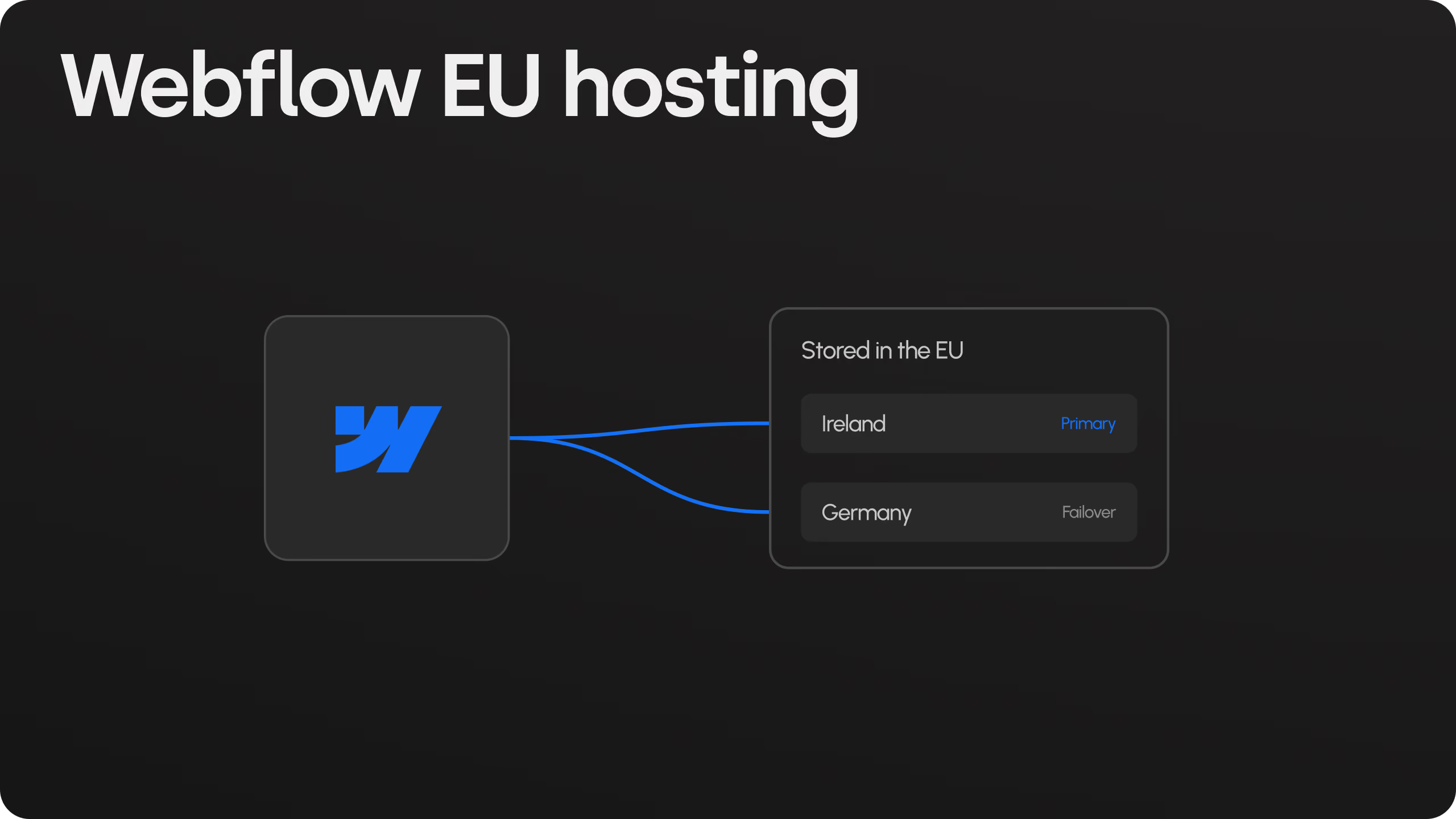
Data location: by default, Webflow stores customer and end-user data in the United States. Since 17 November 2026, Enterprise customers on specific plans can have site data stored at rest in the EU (Ireland, failover Frankfurt). We cover what that includes and excludes in Webflow EU Hosting explained.
Encryption
- In transit: TLS 1.2 or higher on all sites. Certificates are automatic on every plan; Enterprise can upload custom certificates.
- At rest: Webflow states that data is encrypted at rest. The security page does not specify the algorithm; third-party write-ups cite AES-256 for the audit log API data, but take that from Webflow's own documentation or SOC 2 report rather than from a blog, ours included.
- HSTS: enabled automatically on non-Enterprise sites. Enterprise customers can configure it.
Access control and identity
This is where the plan split matters most.
| Control | Self-serve (Basic, Premium) and Team | Enterprise |
|---|---|---|
| Two-factor authentication on user accounts | Yes | Yes |
| Workspace roles (admin, designer, marketer, content editor, reviewer, guest) | Yes, standard roles | Yes |
| Site-level roles and publish permissions | Yes | Yes |
| Custom roles with granular permissions, including whether a role can use Webflow AI | No | Yes |
| Single sign-on | No | Yes |
| SCIM user provisioning and deprovisioning | No | Yes |
| Agency or freelancer guest access with approval | Yes | Yes |
What a reviewer actually wants to hear: who can publish to production, and how people are removed when they leave. On any plan you can restrict publishing to named roles. On Enterprise you can tie Workspace membership to your identity provider so an offboarded employee loses Webflow access when they lose everything else. Without SSO, offboarding is a manual step, so put it in your leaver checklist.
Enforce 2FA for every Workspace member on every plan. It is available everywhere and most questionnaires ask about it.
Web application firewall
New on 18 November 2026: Webflow includes a WAF on all Enterprise plans at no additional cost (Webflow Updates). From the security page:
- Rules can filter by country, IP address, ASN, user agent and URL path
- Rules are written in JSON
- The WAF warns before saving a rule that would block all traffic
- Rule changes are recorded in the audit log
That rule set covers the common requests: block traffic from countries you do not sell to, block a scraper by ASN or user agent, protect a path that should not be public. Webflow's description lists traffic rules only; it does not mention managed signature rulesets of the kind Cloudflare or AWS WAF sell for detecting injection attacks. If a reviewer asks about OWASP coverage, say that Webflow's platform layer is responsible for that class of threat under the shared responsibility model, and the customer-facing WAF is for traffic rules. Ask your account team if you need it in writing.
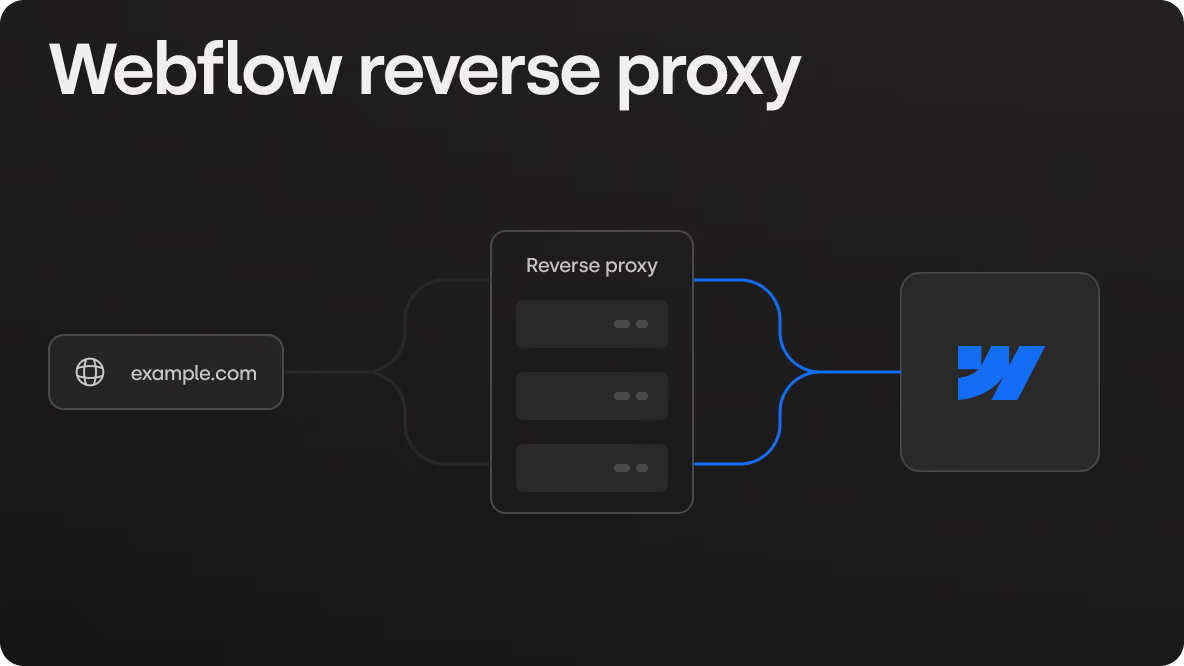
Customers who already run their own Cloudflare account can use Webflow's documented Cloudflare Orange-to-Orange setup to put their own WAF and bot rules in front of Webflow. Webflow's security page lists it as an option; confirm with Webflow whether your plan supports it, and note that you are then running and paying for Cloudflare yourself.
Non-Enterprise plans get the infrastructure-level DDoS protection, bot protection and rate limiting, but no customer-configurable firewall rules.
Logging and monitoring
Two separate things, both Enterprise:
- Site Activity log. A panel in the Designer and in site settings that records design and content changes: what changed, who changed it, when, and whether the change came from a person, Webflow AI or an MCP agent. Available to Enterprise customers and Enterprise partners, visible to anyone with content editor role or above. Also accessible via API.
- Workspace audit log API. For security teams. Records logins, permission changes, custom role changes, guest access requests and similar events, in a format you can pull into a SIEM.
On self-serve plans you have version history for restoring the site, but no record of who did what. If a reviewer asks "can you show me who published the last change to production", the answer on Basic or Premium is no.
Backups and recovery
Webflow keeps version history continuously on every paid plan and any previous version can be restored. Webflow describes it as versioning rather than backups, and the recovery is a restore of the site design and content, not a database export you hold yourself.
Two practical notes for the questionnaire:
- CMS content can be exported as CSV at any time, and everything is reachable through the API. If a reviewer asks for your own backup copy, schedule an API export.
- Webflow publishes a BCP/DRP test letter in the Trust Center. That is the document for the "do you test disaster recovery" question.
Vulnerability management
Webflow runs a formal Vulnerability Disclosure Program through Bugcrowd, performs annual penetration tests with the report available in the Trust Center, and patches the platform without customer action. Supply chain vulnerability announcements are also posted in the Trust Center.
For your side: Webflow cannot audit the third-party scripts you embed, and the consent tool that gates them is your choice too (see Webflow cookie consent in 2026). Every analytics tag, chat widget, form tool and A/B testing script is a supply chain decision you own. Keep a list, review it quarterly, remove what you no longer use.
Headers and browser-side protections
Custom security headers, including Content Security Policy and X-Frame-Options, are Enterprise-only. On self-serve plans you get Webflow's defaults and HSTS, but you cannot set a CSP. If your security team requires a CSP, that alone can be the reason to go Enterprise, or to put Cloudflare in front of the site and set headers there.
Form data
Forms are where most marketing sites actually handle personal data, and most questionnaires have a section on it.
- Submissions are stored in Webflow (US by default, EU on EU Hosting) and emailed to the addresses you configure. Notification emails are plain email; treat them accordingly.
- Submissions are visible to anyone with access to the site's form data in Webflow. Limit that through roles.
- Webflow is your processor for this data under its Data Processing Addendum, which is incorporated into the Terms of Service on every plan and includes the EU Standard Contractual Clauses and the UK IDTA.
- If a reviewer wants minimal data in Webflow, forward submissions to your CRM and delete them from Webflow on a schedule, or use an embedded form from a provider that meets their storage requirements.
Do not collect sensitive categories (health, financial account numbers, government IDs) through Webflow forms. Webflow is not built for it and says so.
The plan-by-plan table
Everything above in one place. "Team" is Webflow's platform plan between self-serve and Enterprise; where Webflow's documentation does not say a control is on Team, we have listed it as not available, so confirm with Webflow if Team is your target.
| Control | Basic / Premium | Team | Enterprise |
|---|---|---|---|
| Managed hosting, auto patching | Yes | Yes | Yes |
| TLS, automatic certificates | Yes | Yes | Yes |
| Custom SSL certificate | No | No | Yes |
| Encryption at rest | Yes | Yes | Yes |
| HSTS | On by default | On by default | Configurable |
| Custom security headers (CSP, X-Frame-Options) | No | No | Yes |
| DDoS and bot protection, rate limiting | Yes | Yes | Yes, enhanced |
| Web application firewall (customer rules) | No | No | Yes, included since Nov 2026 |
| 2FA | Yes | Yes | Yes |
| Standard roles and publish permissions | Yes | Yes | Yes |
| Custom roles | No | No | Yes |
| SSO | No | No | Yes |
| SCIM | No | No | Yes |
| Site Activity log | No | No | Yes |
| Audit log API | No | No | Yes |
| Version history and restore | Yes | Yes | Yes |
| Private staging domain | No | No | Yes |
| Publishing workflows, branching, approvals | No | Partial, per Webflow's Team plan description | Yes |
| Uptime SLA | No | No | 99.99% |
| EU data storage | No | No | Specific plans |
| SOC 2 report access | Via Trust Center request | Via Trust Center request | Provided |
| Priority support | No | Confirm with Webflow | Yes, with CSM options |
How to answer the questionnaire in an afternoon
- Download the public documents from the Trust Center and request the private ones (SOC 2, pentest report, CAIQ or SIG Lite). Attach them. Most questions are answered by the SIG Lite alone.
- Attach the Shared Security Responsibility Model and reference it in every answer about configuration.
- Fill in the platform rows from the table above for your plan.
- Write your own controls for the customer rows: 2FA enforced, named list of who can publish, quarterly script review, form data retention, leaver process.
- Where the answer is "Enterprise-only and we are not on Enterprise", say so and state your compensating control. Reviewers accept a clear no with a mitigation far more readily than a vague yes.
If the questionnaire comes back with three or more items that need Enterprise, that is the moment to price Enterprise against the deal. SSO, CSP and audit logging together are the usual trio.
Sources
- Webflow: Security
- Webflow Trust Center: trust.webflow.com
- Webflow Updates: WAF is now available on all Webflow Enterprise plans, 18 November 2026
- Webflow Updates: EU Hosting is now available, 17 November 2026
- Webflow Help: Differences between Enterprise and non-Enterprise plans
- Webflow Help: Site Activity log
- Webflow Help: Site roles and permissions
- Webflow Help: Workspace roles and permissions
- Webflow: Hosting feature page
- Webflow Developers: Workspace audit logs event types
- Webflow Legal: Privacy FAQs, Data Processing Addendum



Frequently asked questions
Is Webflow secure enough for a fintech or regulated company's marketing site?
For the marketing site, yes, with the standard caveats: the controls your sector requires by name (SSO, audit logs, CSP, EU storage) are Enterprise features, and you must keep regulated data out of Webflow forms. We have built and maintain sites for financial services and B2B SaaS clients on this basis.
Can we run our own WAF in front of Webflow?
Webflow documents a Cloudflare Orange-to-Orange setup for this. You manage the Cloudflare account and rules. Confirm plan requirements with Webflow before you build on it.
Does Webflow support SAML?
Webflow's documentation says "single sign-on" and lists SCIM provisioning for Enterprise. It does not name the protocol on the public pages. Ask your account team which identity providers and protocols are supported before promising SAML to your IT team.
Where is the data stored?
United States by default. EU (Ireland, with Frankfurt failover) on specific Enterprise plans since 17 November 2026.
Who can see form submissions?
Anyone with a role on the site that includes form access, plus the recipients of notification emails. Restrict both.
Does Webflow AI or the MCP server create security risk?
AI and agent changes are recorded in the Site Activity log with their source on Enterprise, and custom roles can deny AI access to specific roles. On self-serve plans, treat AI features as you would any team member with design access: decide who may use them.