Salesforce AI Automation with Webflow

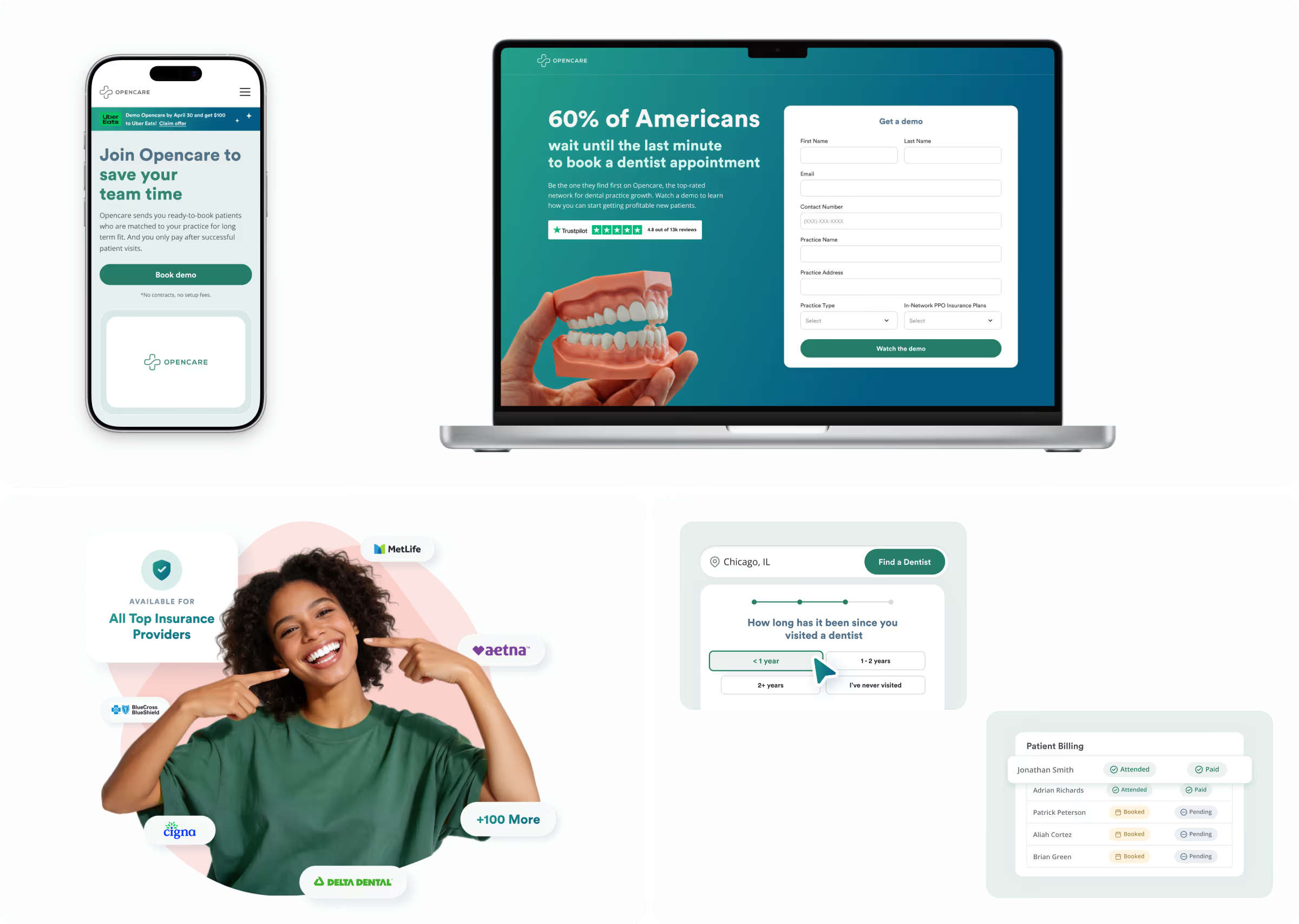
Project information
Salesforce AI automation with Webflow
Webflow build
Salesforce lead qualification
Smart lead routing (Make)
Calendly automation
Salesforce, Slack, Mailgun & Webflow integration
6 weeks
2025 - present
Project overview
Opencare connects patients with dental practices, and its B2B funnel runs on inbound demo requests from those practices. The old site captured leads, but everything after the form submission was manual: submissions landed in Salesforce and one person reviewed, qualified, and assigned each lead by hand.
Skywwward built a Salesforce lead automation system integrated with Webflow, covering lead qualification, smart routing, and Calendly automation, so leads are now qualified, routed to the right AE's calendar, and surfaced to the team in real time without manual intervention. After the automation build, total inbounds rose 61%, qualified inbounds 158%, demos booked 431%, and closed-won deals 654%.
Our entire lead process used to funnel through one person reviewing Salesforce by hand. Now qualification, routing, and booking just happen — leads hit the right AE's calendar automatically and the team sees it in Slack in real time. It removed a bottleneck we'd outgrown, and the numbers followed.
Tamara Teofanovic

The challenge
Manual bottleneck
Every submission funneled through one person. The Sales Director reviewed each lead in Salesforce, decided eligibility, and handed it to an AE, a single point of failure that didn't scale. Without lead automation, nothing moved unless that one person moved it first.
No Salesforce routing logic
Leads landed in Salesforce and sat there. No qualification, no assignment, no notification, eligible prospects waited on a daily manual review before anyone could act. What Opencare needed was Salesforce lead routing with Webflow: submissions evaluated and assigned the moment they arrived.
Scaling with marketing
As inbound volume grew with a B2B marketing ramp-up, the manual process couldn't hold. The team needed Salesforce lead orchestration with Webflow, automated qualification, smart routing, and real-time notifications running without human intervention. A system that could handle volume, stay easy to update, and never bottleneck on one person's availability.
The solution
We replaced Opencare's manual lead process with end-to-end Salesforce lead orchestration with Webflow, covering qualification, smart routing, and Calendly booking in one automated pipeline. Forms now accept or reject submissions on the spot, route eligible leads directly to the right AE's Calendly, and fire a Slack notification simultaneously, all wired through Make across Webflow, Salesforce, and Slack.
The result is true Salesforce lead orchestration with Webflow: every submission evaluated, assigned, and booked without a single manual step. Global form templates mean new landing pages inherit the same automation logic instantly, so marketing can launch campaigns without touching the backend.
Key elements of the solution
Salesforce lead qualification
Submissions automatically accepted or rejected based on responses, no manual review, no delay.
Salesforce lead routing with Webflow
Eligible leads sent straight to the right AE's Calendly the moment they qualify, zero handoff time.
Real-time Slack notifications
Full team visibility on every submission, surfacing practice location count for prioritization.
Make automation pipeline
Salesforce lead orchestration with Webflow running through Make, connecting form submissions, Salesforce, and Slack in one reliable pipeline.
Richer Salesforce capture
Additional fields, accepted/rejected outcomes recorded, and form types mapped distinctly for cleaner CRM data.
Default field values
Incomplete submissions still flow into Salesforce rather than getting dropped, feeding the Waitlist program.
Global form templates
New campaign landing pages inherit the same Salesforce lead automation with Webflow logic instantly — marketing launches campaigns without rebuilding the backend.
Tech-stack



Business impact

More qualified leads, not just more volume
Total inbounds rose 61%, but qualified inbounds grew 158%, more than double the lift. Tighter Salesforce lead qualification logic filters leads before they reach the team, so the growth is in the right kind of lead.

A conversion funnel that compounds downstream
The gains get bigger further down the funnel: demos booked are up 431%, demos run 384%, and closed-won deals 654%. Salesforce lead orchestration with Webflow means more volume at the top and better lead quality throughout the pipeline.

Instant routing, zero manual review
What used to be a daily, one-person review in Salesforce now happens the moment a form is submitted. Salesforce lead routing with Webflow sends eligible leads to the right AE's Calendly automatically and around 87% of qualified leads go on to book a demo.

A waitlist program that converts
Leads outside current coverage flow into a quarterly waitlist sequence instead of getting dropped. It has become a high-performing channel in its own right, 47% of those leads book a demo, and 50% of those demos close.