Webflow vs HubSpot CMS for B2B Marketing Teams (2026)

For a B2B marketing team choosing between Webflow and HubSpot CMS (now sold as Content Hub) in 2026, the short answer is: pick HubSpot CMS when the website and the CRM are one motion and your team already lives in HubSpot for email, forms, lead scoring and reporting; pick Webflow when the marketing team wants full control over layout and new page types without a developer, and the CRM connection can be handled by native forms, HubSpot embeds or an integration. Both platforms let marketers publish without engineering. The difference is where the limits sit and who hits them first.
This comparison is written for the person who will run the site after launch, not for the developer who builds it. We build on Webflow and connect it to HubSpot on most projects, so we see both sides of the line weekly.
What is the practical difference between Webflow and HubSpot CMS?
Webflow is a visual development platform with a CMS attached: designers build the layout and components, marketers edit content and assemble pages from those components, and the design lives in the same tool as the content. HubSpot CMS is a content management layer inside the HubSpot platform: pages are built from themes and modules written in HubL, and the strongest feature is that every page, form and CTA is wired to the CRM contact record from the start.
That gives you two different ceilings. On Webflow the ceiling is deep CRM logic, which has to be connected rather than being native. On HubSpot CMS the ceiling is layout: anything outside the theme's modules is developer work in HubL, and that is the part marketing teams underestimate.
Webflow vs HubSpot CMS at a glance
| Question | Webflow | HubSpot CMS (Content Hub) |
|---|---|---|
| Who edits layout day to day | Marketers, from components and templates the build set up; designers in the Designer | Marketers inside the theme's modules; anything new is HubL developer work |
| New landing page without a developer | Yes, from the component library, in minutes | Yes, if the theme has the module; otherwise no |
| CRM connection | Native forms plus HubSpot embeds, Make or API; not automatic | Native; every form and CTA writes to the contact record |
| Personalisation by CRM data | Possible with custom code or tools; not native | Native (smart content, by list or lifecycle stage) |
| Design freedom | Full; the site looks exactly like the Figma file | Within the theme; custom layouts need development |
| Hosting, security, updates | Included, managed by Webflow | Included, managed by HubSpot |
| Localisation | Native, per-locale pages and CMS items | Native multi-language pages |
| Lock-in | Export static code; CMS content via API | Pages depend on HubL themes; content via export and API |
| Cost model | Site plan per site, no seat pricing for the CMS | Hub tier plus seats; cost rises with the HubSpot stack |
| Best for | Teams who want layout control and ship pages often | Teams whose whole funnel runs in HubSpot and who rarely need new layouts |
When HubSpot CMS is the right call
HubSpot CMS wins when the site is one part of a HubSpot operation. If sales works out of the HubSpot CRM, marketing runs email and workflows in Marketing Hub, and reporting is built on contact properties, then having pages, forms and CTAs native to that record removes a whole category of integration work. Smart content that changes a hero by lifecycle stage or list membership is a real feature you cannot reproduce cheaply elsewhere.
It also wins when the team is happy inside a theme. Many B2B companies publish the same five page types for years. If that is you, the HubL ceiling never gets hit and the native CRM wiring is pure upside.
When Webflow is the right call
Webflow wins when the marketing team wants to own the look of the site, not just the words. A new landing page in Webflow is assembled from a component library the build set up: hero, feature rows, proof, CTA, each with editable properties. Nobody files a ticket and nobody opens a theme file. Page templates and CMS collections mean a new case study or resource is one new item, not a page build.
It also wins on design. Figma to Webflow is close to one to one, and the component model keeps later pages on brand without a designer checking each one. For a team that cares how the site looks and changes it often, that matters more than native personalisation.
The CRM side is a connection, not a gap. Native Webflow forms post to HubSpot through the HubSpot app, an embedded HubSpot form, Make or the API, and the contact record is as complete as you map it. We did this for a healthcare company's Salesforce pipeline with qualification and routing built in; the same pattern works for HubSpot.
Where teams get this decision wrong
- Buying HubSpot CMS for marketing autonomy. The autonomy is real inside the theme. The first time marketing wants a layout the theme does not have, the ticket is back. Ask the agency: who builds the next new page type, and in what tool?
- Buying Webflow and skipping the CRM mapping. If the form just emails a submission, you have lost the thing HubSpot gives you for free. Map fields, lifecycle stage and source on day one.
- Comparing licence prices only. HubSpot CMS pricing moves with tiers and seats; Webflow is per site. The relevant number is total cost including the people who have to touch the site for each change.
- Deciding on the CMS before locating the wall. Write down the five changes your team made most often last year and the three it wanted and did not get. Pick the platform whose wall sits furthest from those.
How we build Webflow sites that still live in HubSpot
Most of our B2B SaaS clients run HubSpot. The site is Webflow: component library, page templates, a CMS collection for every repeated page type, a style guide in variables, so the marketing team ships pages on its own. Forms, chat and tracking are HubSpot's, embedded or connected, so every lead lands on the contact record with source and campaign intact. Projects start at $10,000; most land between $10,000 and $20,000, fixed before we start, and the project is done when someone on your team has published a page alone.
If you are weighing the two for a marketing site, tell us what your team ships in a typical month and we will say which platform fits, including when the answer is HubSpot.



Frequently asked questions
Can a Webflow site send leads to HubSpot?
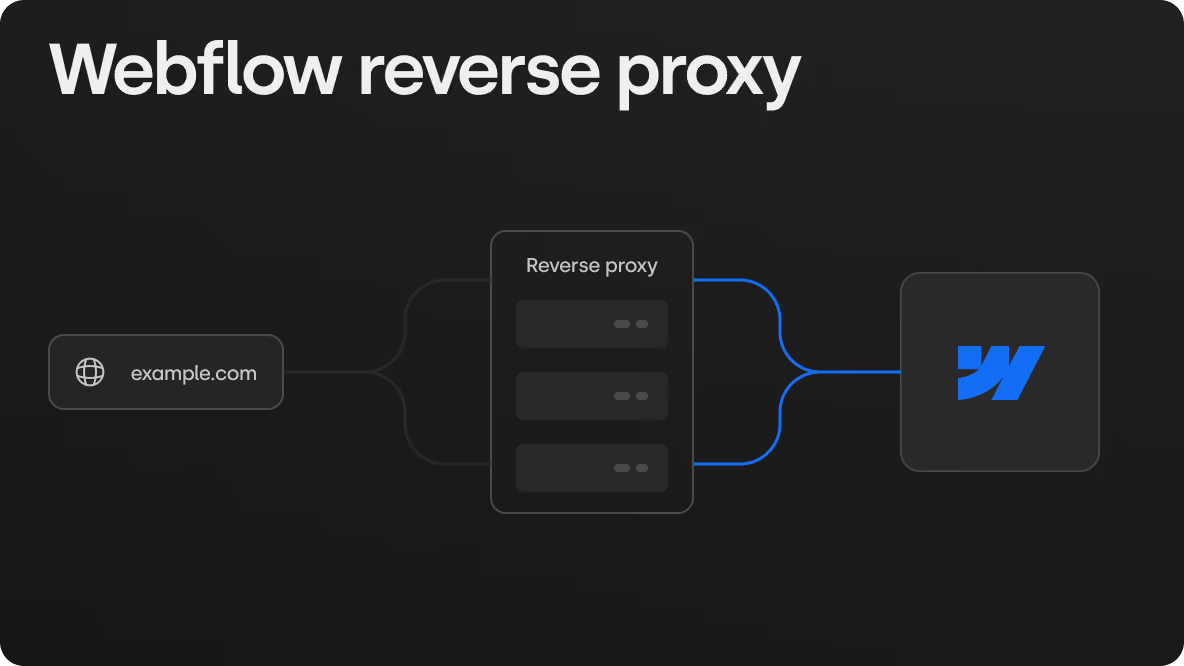
Yes. Native Webflow forms connect to HubSpot through the HubSpot app, an embedded HubSpot form, Make or the API. Fields, source and lifecycle stage are mapped at build time so every submission lands on the contact record the same way a HubSpot-hosted page would.
Can marketers edit HubSpot CMS pages without a developer?
Within the theme, yes: copy, images, module settings and new pages from existing modules. A layout or module the theme does not have is HubL development. That is where the ticket comes back.
Is HubSpot CMS cheaper than Webflow?
Not in a way that generalises. Webflow is priced per site plan; HubSpot CMS is priced by hub tier and seats and rises with the rest of the HubSpot stack. Compare the total yearly cost including the people who have to touch the site for each change, not the licence line.
Which is better for personalisation by CRM data?
HubSpot CMS. Smart content that changes a page by list membership or lifecycle stage is native. On Webflow it is possible with custom code or third-party tools, but it is not built in.
Which should a B2B SaaS marketing team choose?
If the whole funnel runs in HubSpot and the team rarely needs new layouts, HubSpot CMS. If the team ships new landing pages often and wants full control over how the site looks, Webflow with HubSpot forms and tracking connected. Write down the changes your team made most often last year and pick the platform whose limit sits furthest from them.