Webflow Reverse Proxy: How to Serve Webflow on a Subdirectory or Multiple Domains
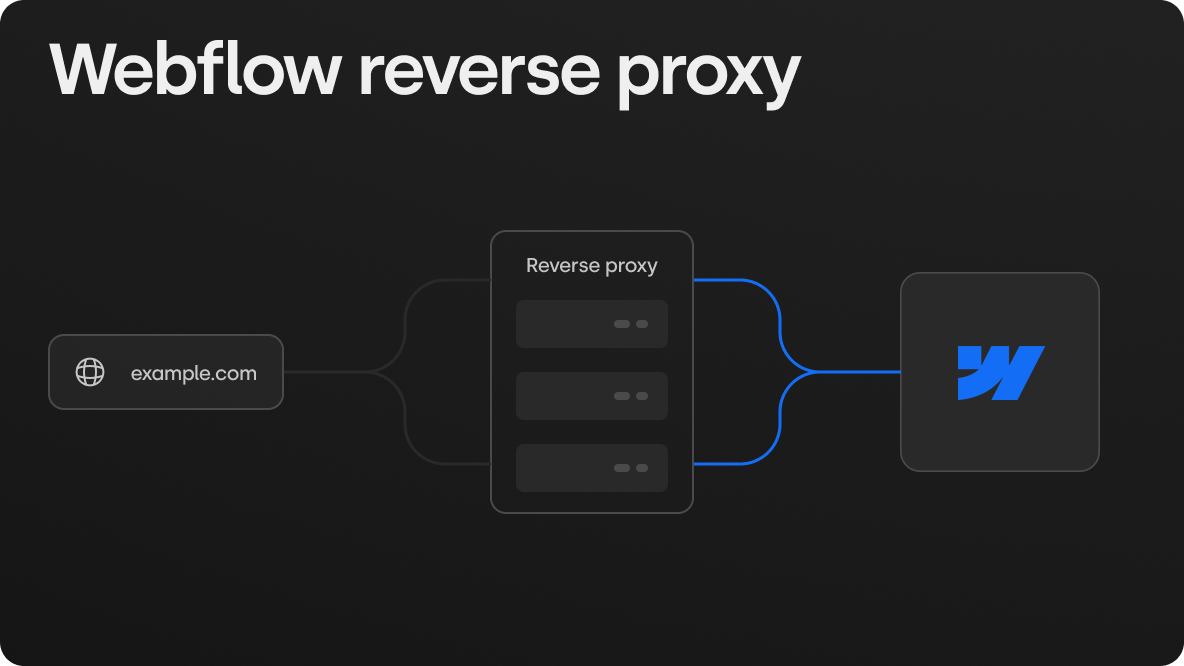
A Webflow reverse proxy lets you serve a Webflow site, or part of one, under a URL that Webflow does not host directly. The most common versions are a Webflow blog at example.com/blog while the main site runs elsewhere, a docs or app section at example.com/docs under a Webflow marketing site, or several business-line domains served from a single Webflow project. Webflow supports this on any paid Site plan, but it treats the proxy itself as your infrastructure: Webflow documents the required settings, and you build and maintain the routing layer.
That split is where most setups go wrong. The proxy usually works on day one. The problems show up weeks later as duplicate pages on the origin subdomain, a sitemap that lists the wrong URLs, redirects that leak the origin hostname, or a cache layer that serves stale pages after a publish. At Skywwward, we used Cloudflare Worker routing for Hoovest, a Canadian financial group, to serve separate business-line domains from one Webflow project in three languages, and the SEO settings mattered as much as the routing code.
This guide covers when a reverse proxy is the right call, the setup options (Cloudflare Workers, Webflow Cloud, NGINX, CloudFront and managed tools), the exact Webflow settings you need, a working Cloudflare Worker example, and the SEO checks to run before and after launch.
What a Reverse Proxy Does in a Webflow Setup
A reverse proxy sits between the visitor and one or more origin servers. The visitor requests example.com/blog/post, the proxy fetches the page from wherever it actually lives, and returns it under the public URL. The visitor and search engines only ever see example.com.
In a Webflow context, the proxy runs in one of two directions:
The reason teams want this instead of a subdomain like blog.example.com is usually consolidation: one domain for analytics, one set of backlinks, one brand in search results. Google has said it handles both subdomains and subdirectories, so a proxy is not a ranking trick. In practice, a subdirectory makes it simpler to keep internal linking, sitemaps and reporting in one place, which is why most SaaS marketing teams ask for it.
When a Reverse Proxy Is the Right Call (and When It Is Not)
A reverse proxy adds a moving part you have to own. It is worth it when the URL structure has a real business reason behind it.
Good reasons:
- The product app, docs or help center already lives on your main domain, and marketing wants Webflow for everything else.
- You are moving a blog from WordPress to Webflow but the rest of the site is not moving yet.
- You run several brands or business lines that need separate domains but should share one design system and CMS.
- Legal or IT requires everything to sit behind your own CDN or WAF.
Reasons to skip it:
- You only want the blog on the main domain and the whole site could move to Webflow instead. A full migration is usually less work over time than a permanent proxy.
- Nobody on the team can maintain Cloudflare, NGINX or AWS configuration. When the proxy breaks, the site breaks, and Webflow Support will not debug it.
- The "other" content is a Next.js or Astro app. Webflow Cloud can mount those under your Webflow site without a custom proxy (more on that below).
Your Setup Options
Cloudflare Workers
A Worker is a small script that runs on Cloudflare's network before the request reaches any origin. You attach it to a route such as example.com/blog*, and it decides where each request goes. Webflow's own hosting runs on Cloudflare, and Webflow's documentation recommends Cloudflare "orange-to-orange" as the preferred setup when your domain is also on Cloudflare.
This is what we used for Hoovest. Each business-line domain passes through a Worker that maps the request to the matching part of one Webflow project, so the company runs one design system and one CMS instead of several disconnected sites.
Webflow Cloud
Webflow Cloud deploys Next.js and Astro apps inside your Webflow workspace. An app can be mounted under a path of an existing Webflow site, and since June 2026 it can also run on its own domain. If the thing you want at example.com/app is a Next.js or Astro project, this removes the need for a hand-built proxy. Webflow also publishes a subdirectory reverse proxy example built on Webflow Cloud for forwarding a path to an external service, such as a help desk.
NGINX and CloudFront
If your infrastructure team already runs NGINX or AWS, Webflow's help center has reference settings for both. The key NGINX lines are:
location /blog/ {
    proxy_set_header Host wf.example.com;
    proxy_set_header X-Forwarded-Proto $scheme;
    proxy_ssl_server_name on;
    proxy_pass https://wf.example.com$request_uri;
}
proxy_ssl_server_name on is required. Without it, Cloudflare (which fronts Webflow hosting) can block the request as domain fronting. For CloudFront, Webflow recommends a cache TTL of 0 so CloudFront does not cache on top of Webflow's own CDN, and an origin request policy that forwards query strings.
Adjust the proxy_pass path to match how your Webflow pages are published on the origin. If your pages live at the origin root, the proxy has to remove the /blog part of the path before forwarding, as the Worker example below does.
Webflow Settings You Need Before Any Proxy Works
These come from Webflow's reverse proxy documentation. Skipping any of them is the most common cause of SEO problems later.
- Use a paid Site plan with a custom domain. Webflow says not to reverse proxy
*.webflow.iostaging domains. - Create an origin subdomain, for example
wf.example.com, connect it in Webflow and set it as the default domain. The proxy fetches pages from this hostname. - Set the global canonical URL under Site settings > SEO to your public URL. This tells search engines which version of each page counts, since the origin subdomain is technically reachable too.
- Turn on the auto-generated sitemap and enable Use your global canonical URL as the base URL for each sitemap.xml entry, so the sitemap lists public URLs instead of origin URLs.
- Set an Href prefix if Webflow content lives under a path. Under Site settings > Custom code > Advanced settings, set it to
/blog(or your path) so internal links point to/blog/.... It does not change external links or links pulled from Link, Email or Phone fields. - Do not use a
<base>tag to fix links. Webflow notes it breaks internal link resolution and the legacy Editor login. - Plan robots.txt. Webflow's generated robots.txt points to the origin subdomain. If the proxy serves Webflow under a path, host your own robots.txt and sitemap on the main domain and proxy or rewrite them explicitly.
Example: Cloudflare Worker for a Webflow Subdirectory
This example serves a Webflow site published on wf.example.com at example.com/blog. Attach the Worker to the route example.com/blog*.
const PUBLIC_PREFIX = "/blog";
const ORIGIN = "https://wf.example.com";

export default {
  async fetch(request) {
    const url = new URL(request.url);

    // Map /blog/some-post to /some-post on the Webflow origin
    const originPath = url.pathname.slice(PUBLIC_PREFIX.length) || "/";
    const originUrl = new URL(originPath + url.search, ORIGIN);

    const response = await fetch(originUrl, {
      method: request.method,
      headers: request.headers,
      body: request.body,
      redirect: "manual",
    });

    // Rewrite redirects so visitors never land on the origin hostname
    const location = response.headers.get("Location");
    if (location) {
      const target = new URL(location, ORIGIN);
      if (target.hostname === new URL(ORIGIN).hostname) {
        const headers = new Headers(response.headers);
        const path = target.pathname === "/" ? "" : target.pathname;
        headers.set("Location", `${url.origin}${PUBLIC_PREFIX}${path}${target.search}`);
        return new Response(response.body, { status: response.status, headers });
      }
    }

    return response;
  },
};
What this handles:
- Path mapping.
/blog/postbecomes/poston the origin, which matches the Href prefix setup. - Query strings. They pass through, which Webflow site search and CMS filters need.
- Redirects. Webflow 301s (for example, from the redirect settings panel) are rewritten to the public URL instead of exposing
wf.example.com.
What it does not handle, and you should decide on:
- Caching. Cloudflare caches according to its own rules. Test that a publish in Webflow shows up on the public URL within a reasonable time, and purge the cache as part of your publish routine if it does not.
- Large responses. Webflow notes a 2 MB limit on origin responses through Cloudflare.
- Multi-domain routing. For a Hoovest-style setup, the Worker reads the incoming hostname and maps it to a folder or collection in the Webflow project. The logic is the same, with a lookup table instead of a single prefix.
Test on a staging route before switching the production route on, and check the rendered HTML, not just the browser view.
SEO Checklist for a Proxied Webflow Site
A reverse proxy is invisible to visitors, but search engines see every mistake. Run these checks before launch and again a week after.
The Search Console live test is the check most teams skip, and the one that matters most. A proxy can return a working page to a browser and a different response to Googlebot, for example from a cached error on a specific device variant or a bot protection rule. If the live test fails while the page loads fine for you, look at the proxy and CDN rules before touching content.
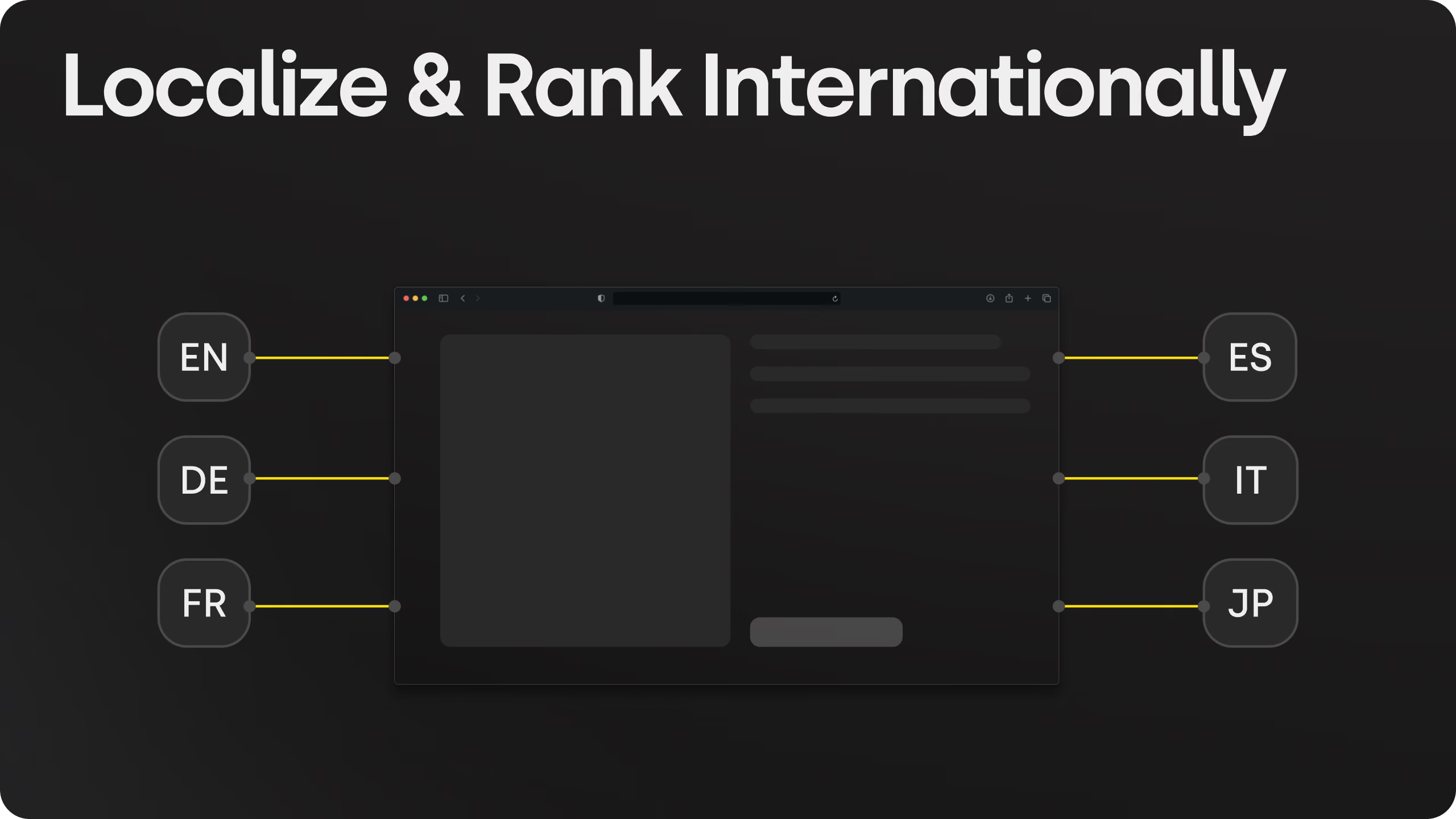
For multilingual builds, the proxy has to preserve the hreflang relationships between locales. We cover that in more detail in our guide to multi-language SaaS sites in Webflow.
Common Mistakes
- Leaving the origin subdomain uncanonicalized. Google finds both versions and has to guess which one counts.
- Proxying the staging
webflow.iodomain. Webflow advises against it, and it can expose unpublished work. - Double caching. A CDN in front of Webflow's CDN, both caching HTML, means publishes appear hours late.
- Absolute links to the origin. Hard-coded links in rich text or custom code bypass the Href prefix.
- Forgetting forms and search. Test a real form submission and a site search through the proxy, not just page loads.
- No owner. The proxy needs someone who knows it exists. Document the routes, the Worker code and the Webflow settings in the handover.
Case Study: Hoovest
Hoovest is a Canadian integrated financial group covering investments, insurance, fund management, corporate advisory, real estate and family office services. It needed separate domains for distinct business lines, a consistent experience across them, and content in English, French and Chinese.
In 12 weeks, Skywwward delivered:
- A full Webflow rebuild replacing a legacy WordPress site, including UX and UI design
- One design system and CMS serving multiple business-line domains
- Cloudflare Worker routing to serve those domains from a single Webflow project
- A trilingual CMS structure the internal team manages without developers
- QA across templates, languages, devices and key flows, plus documentation and training at handover
The result is one governed system instead of several sites drifting apart, which keeps content, design and SEO settings consistent as the business adds initiatives.
Conclusion
A Webflow reverse proxy is a solid way to put Webflow content on the URL structure your business needs, whether that is a blog in a subdirectory, docs under a Webflow marketing site, or several brands from one project. Webflow gives you the settings. The routing layer, caching and SEO checks are yours to build and maintain.
Keep it as simple as the requirement allows. If a Next.js or Astro app needs to sit under your Webflow site, look at Webflow Cloud first. If you need path or domain routing, a Cloudflare Worker is usually the lightest option. Whatever you choose, set the canonical, sitemap and robots.txt correctly, and confirm with Search Console that Google sees the same page your visitors do.
At Skywwward, we build and maintain Webflow sites with custom routing and integrations, including multi-domain setups like Hoovest. If you are planning a reverse proxy, a subdirectory move, or a migration to Webflow, get in touch and we will look at the right setup for your site.
.avif)


Frequently asked questions
Does Webflow support reverse proxies?
Yes, on paid Site plans with a custom domain. Webflow documents the required settings (origin subdomain, global canonical, sitemap and Href prefix), but it does not configure or troubleshoot the proxy itself. Webflow Support can confirm the origin responds correctly. Enterprise customers can ask Webflow Sales about direct help.
Can I host a Webflow blog on a subdirectory like example.com/blog?
Yes. Publish the Webflow site on an origin subdomain, set the Href prefix to /blog, set the global canonical URL to your public domain, and route example.com/blog through a reverse proxy such as a Cloudflare Worker, NGINX or CloudFront.
Is a subdirectory better than a subdomain for SEO?
Google says it handles both. A subdirectory keeps content, internal links, sitemaps and reporting on one domain, which is simpler to manage. It is not a ranking shortcut, and a badly configured proxy can do more harm than a clean subdomain.
Can one Webflow project serve multiple domains?
Not natively, but a routing layer can do it. Skywwward built this for Hoovest, a financial group with several business lines, using Cloudflare Worker routing to serve separate domains from one Webflow project with one design system and a trilingual CMS.
What is the easiest way to run a Next.js app under a Webflow site?
Webflow Cloud. It deploys Next.js and Astro apps from your Git repository and can mount them under a path of your Webflow site, so you do not need to build and host a separate proxy.
How long does a Webflow reverse proxy setup take?
A single subdirectory route with a Cloudflare Worker can be live in a few days, including SEO checks. Multi-domain routing combined with a full rebuild takes longer. Hoovest's multi-domain, trilingual rebuild took 12 weeks from design to handover.